
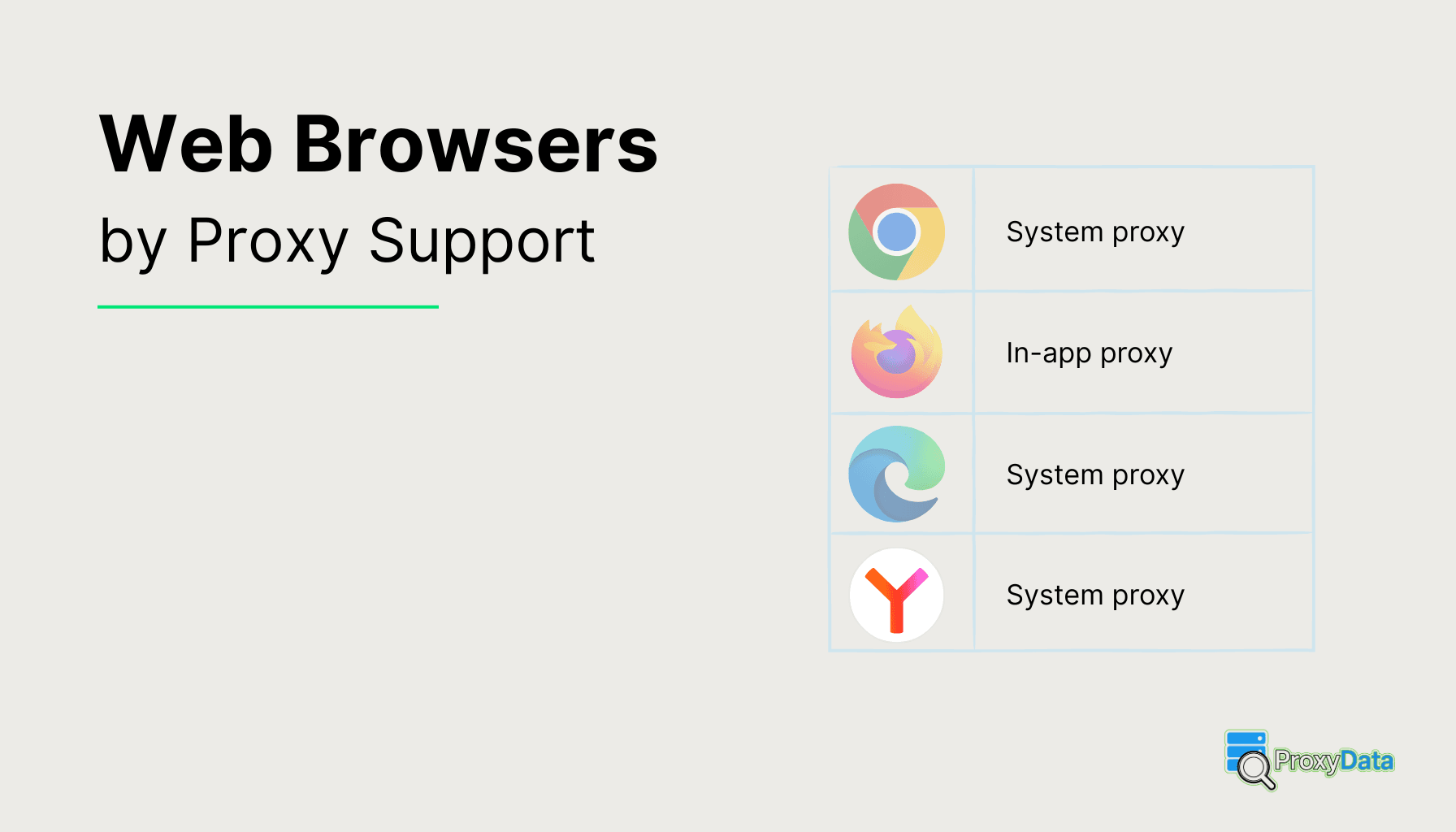
Regular web browsers are not built around multiple isolated identities like anti-detect tools, and they do not ship with strict privacy hardening like privacy-focused browsers. They are general-purpose browsers for everyday use, but their proxy options still differ a lot. Some browsers only follow the operating system proxy, while others expose full HTTP/HTTPS/SOCKS settings and work well with proxy extensions.
This page compares proxy support across 35+ regular browsers and includes short notes for each tool, plus links to detailed proxy setup guides where available. If you want a simple overview of standard vs privacy-focused vs anti-detect browsers, see Browser Types.
Regular browsers: proxy support
| Browser | Platforms | Engine | Proxy support | Proxy settings location | Proxy Extensions |
|---|---|---|---|---|---|
| Google Chrome | Windows; macOS; Linux; Android; iOS | Blink (Chromium based) | Follows OS proxy configuration (no dedicated browser proxy UI) | System network settings (opens OS proxy dialog) Chrome proxy guide ↓ |
Desktop: FoxyProxy, Proxy SwitchyOmega (including MV3 forks such as ZeroOmega and SwitchyOmega Pro), Proxy Switcher & Manager, Simple Proxy Switcher; Android: no extension support |
| Mozilla Firefox | Windows; macOS; Linux; Android; iOS | Gecko (Firefox based) | Built-in HTTP/HTTPS; SOCKS4/5; PAC; can override system proxy | Browser settings → Network / Connection settings Firefox proxy guide ↓ |
Desktop: FoxyProxy Standard, FoxyProxy Basic, Proxy Switcher & Manager; Android: add-on support is limited, no general proxy manager extensions listed |
| Microsoft Edge | Windows; macOS; Linux; Android; iOS | Blink (Chromium based) | Follows OS proxy configuration (no separate Edge-only proxy list) | System network settings (Windows Internet Options / OS dialog) Edge proxy guide ↓ |
Desktop: FoxyProxy, Proxy SwitchyOmega, Proxy Switcher & Manager, Simple Proxy Switcher; Mobile: no extension support |
| Safari | macOS; iOS; iPadOS | WebKit (Safari based) | Follows OS proxy configuration | System network settings (macOS / iOS Wi-Fi or cellular proxy) | No general proxy extensions in the Safari Extensions / App Store, proxy is usually configured at the macOS or iOS system level |
| Opera | Windows; macOS; Linux; Android; iOS | Blink (Chromium based) | Follows OS proxy configuration | System network settings (Opera button → Go to system proxy settings) Opera proxy guide ↓ |
Desktop: FoxyProxy, Proxy SwitchyOmega, Proxy Switcher & Manager, IP Switcher; Opera / Opera Mini on Android: no extension support |
| Yandex Browser | Windows; macOS; Android; iOS | Blink (Chromium based) | Follows OS proxy configuration; no full in-browser proxy manager | System proxy or command-line flags Yandex Browser proxy guide ↓ |
Desktop: FoxyProxy, Proxy SwitchyOmega, Proxy Switcher & Manager, Simple Proxy Switcher; Android: no proxy extension support |
| Avant Browser | Windows | Trident (Internet Explorer based) + Gecko (Firefox based) + Blink (Chromium based) | Follows OS proxy configuration (IE-style) | Windows Internet Options (system proxy) Avant Browser proxy guide ↓ |
No modern web extension system for proxy add-ons, proxy is configured via built-in or system settings |
| Comodo Dragon | Windows | Blink (Chromium based) | Follows OS proxy configuration (no own proxy engine) | System network settings (Chromium-style) Comodo Dragon proxy guide ↓ |
Desktop: FoxyProxy, Proxy SwitchyOmega (including MV3 forks), Proxy Switcher & Manager, Simple Proxy Switcher |
| Comodo IceDragon | Windows | Gecko (Firefox based) | Built-in HTTP/HTTPS; SOCKS4/5; PAC (inherits Firefox proxy model) | Browser settings → Network / Connection settings Comodo IceDragon proxy guide ↓ |
Desktop: FoxyProxy Standard, FoxyProxy Basic, Proxy Switcher & Manager (Firefox-compatible add-ons) |
| Cốc Cốc | Windows; Android | Blink (Chromium based) | Follows OS proxy configuration (Chromium-style) | System proxy settings Cốc Cốc proxy guide ↓ |
Desktop: FoxyProxy, Proxy SwitchyOmega, Proxy Switcher & Manager, Simple Proxy Switcher; Android: no proxy extension support |
| Dillo | Linux; BSD and other Unix-like | Dillo (built-in rendering engine) | HTTP proxy via config/env; no SOCKS UI | Config file / environment variables (http_proxy etc.) | No extension support, no proxy extensions |
| Dolphin Browser | Android | WebKit (Safari based) | Follows Android system proxy / VPN; no dedicated in-app proxy UI | Android Wi-Fi / system proxy or VPN/proxy apps | No proxy extensions, proxy or VPN must be set at system or app level |
| Falkon | Linux; Windows | Blink (Chromium based) | HTTP/HTTPS via Qt / system proxy; no dedicated SOCKS UI | Falkon preferences (Application / Qt proxy) or system proxy | No widely used generic proxy extensions; proxy is configured through Qt/WebEngine or system settings |
| GNOME Web | Linux (GNOME desktops) | WebKit (Safari based) | Follows GNOME / desktop proxy configuration | GNOME system proxy settings | No proxy extension support, relies on GNOME or system proxy settings |
| K-Meleon | Windows | Gecko (Firefox based) (Goanna in newer builds) | Built-in HTTP/HTTPS and SOCKS (similar to classic Firefox) | Browser preferences → Proxy / network settings K-Meleon proxy guide ↓ |
Has built-in multiple proxy profiles, no modern web store for proxy extensions |
| Kiwi Browser | Android | Blink (Chromium based) | Follows Android system proxy; no separate Kiwi-only proxy UI | Android Wi-Fi / system proxy or VPN/proxy apps | Android: supports Chrome Web Store extensions, can use FoxyProxy, Proxy SwitchyOmega, Proxy Switcher & Manager, Simple Proxy Switcher |
| Konqueror | Linux (KDE) | KHTML (KDE based) | Follows KDE system proxy configuration | KDE System Settings → Network → Proxy | No web extension store for proxy add-ons, uses KDE or system proxy configuration |
| Lightning Browser | Android | Android WebView (Chromium based) | Follows Android system proxy; no dedicated in-app proxy manager | Android Wi-Fi / system proxy or VPN/proxy apps | No extension support, no proxy extensions |
| Links | Unix-like systems; Windows | Links (built-in rendering engine) | HTTP (and sometimes HTTPS) via env/config; no GUI SOCKS | Config file or http_proxy / https_proxy env vars | Text-mode browser with no extensions, no proxy extensions |
| Lynx | Unix-like systems; Windows | Lynx (libwww based) | HTTP/HTTPS via env/config; no GUI SOCKS | Config file or http_proxy / https_proxy env vars | Text-mode browser with no extensions, no proxy extensions |
| Maxthon | Windows; macOS; Android; iOS | Blink (Chromium based) (older versions also used Trident) | HTTP/HTTPS proxies; no documented first-class SOCKS UI for desktop | Maxthon settings and/or system proxy Maxthon proxy guide ↓ |
Uses a built-in proxy manager or presets; no separate general-purpose proxy extensions in a public store |
| Mi Browser | Android (MIUI devices) | Blink (Chromium based) | Follows Android system proxy; no full in-app proxy list | Android Wi-Fi / system proxy or VPN/proxy apps | No web extension support, no proxy extensions |
| Midori | Windows, macOS, Linux, Android, iOS | WebKit (Safari based) (classic) / Gecko (Firefox based) (current Midori) | Has its own proxy settings; can use system proxy in some builds | Midori preferences (Network / Proxy section) Midori proxy guide ↓ |
Extension system present; suitable proxy add-ons not confirmed |
| NetSurf | RISC OS; Linux; other platforms | NetSurf (built-in layout engine) | HTTP proxy support; no SOCKS implementation | NetSurf options → Proxy (HTTP only) | No extension system, no proxy extensions |
| Puffin Browser | Android; iOS; desktop clients | Cloud rendering engine (server-side, proprietary) | No traditional external proxy; traffic already tunnels through Puffin cloud servers | In-app settings mostly for Puffin cloud; user cannot set external HTTP/SOCKS proxy | Uses cloud rendering, no browser extension system for proxy add-ons |
| QQ Browser | Windows; Android | Trident (Internet Explorer based) + WebKit (Safari based) | Follows OS proxy configuration | System proxy (Windows) / Android system proxy QQ Browser proxy guide ↓ |
No general-purpose proxy extensions visible in public catalogs, proxy must be set elsewhere |
| Qutebrowser | Linux; macOS; Windows; BSD | Blink (Chromium based) | System proxy by default; supports HTTP and SOCKS URLs via content.proxy (no SOCKS auth because of Qt/Chromium limits) | Config file or :set content.proxy (system, none, http://, socks://) | No web extension store, proxy is configured in settings or config file |
| Samsung Internet | Android | Blink (Chromium based) | Follows Android system proxy; no separate proxy list | Android Wi-Fi / system proxy or VPN/proxy apps | Windows desktop: Chromium-based, can use FoxyProxy, Proxy SwitchyOmega, Proxy Switcher & Manager; Android version: no proxy extension support |
| SeaMonkey | Windows; macOS; Linux | Gecko (Firefox based) | Built-in HTTP/HTTPS and SOCKS proxies; PAC support | Preferences → Advanced → Network / Connection settings SeaMonkey proxy guide ↓ |
FoxyProxy builds exist for SeaMonkey and are the main proxy add-on option |
| SlimBrowser | Windows | Trident (Internet Explorer based) | Follows OS proxy configuration | Windows Internet Options (system proxy) SlimBrowser proxy guide ↓ |
Has a built-in Proxy Manager / multi-proxy support, no external proxy extensions |
| Slimjet | Windows; Linux | Blink (Chromium based) | Follows OS proxy configuration | System network settings (Chromium-style) Slimjet proxy guide ↓ |
Chromium-based: FoxyProxy, Proxy SwitchyOmega, Proxy Switcher & Manager, Simple Proxy Switcher |
| UC Browser | Android; legacy Windows | Blink (Chromium based) | Follows OS proxy configuration | Android Wi-Fi / system proxy or Windows system proxy UC Browser proxy guide ↓ |
No suitable general-purpose proxy manager extensions via an extension store, proxy must be set at browser or system level |
| Vivaldi | Windows; macOS; Linux; Android | Blink (Chromium based) | Follows OS proxy configuration (no graphical per-site proxy manager) | System proxy by default; optional command-line flags for custom proxy Vivaldi proxy guide ↓ |
Desktop: FoxyProxy, Proxy SwitchyOmega, Proxy Switcher & Manager, Simple Proxy Switcher |
| rekonq | Linux (KDE) | WebKit (Safari based) | Follows KDE system proxy configuration | KDE System Settings → Network → Proxy | Old Qt browser without a live extension ecosystem; no proxy extensions |
| w3m | Unix-like systems | w3m (built-in rendering engine) | HTTP/HTTPS via env/config; no GUI SOCKS support | http_proxy / https_proxy env vars or config file | Console browser with no extensions, no proxy extensions |
Google Chrome
Chrome is the baseline Chromium browser, so its privacy story is mostly about clear, predictable controls: Incognito mode, strict site-permission settings (camera, mic, location), and cookie settings that help limit cross-site tracking. It is not a privacy-first product, but it is often the reference point when people compare how other browsers harden defaults.
Proxy use in Chrome is usually system-driven. Common options are: set a system proxy for the whole browser, launch a separate Chrome shortcut with a proxy parameter for a dedicated workflow, or use a proxy-switching extension when you need quick changes without touching OS settings.
Full guide with screenshots: Google Chrome Proxy Settings.
Mozilla Firefox
Firefox has a strong privacy toolkit for a regular browser: built-in tracking protection, solid cookie controls, and a permission model that is easy to audit. It also has a mature ecosystem of privacy extensions, and its settings make it simpler to tune what the browser stores and what it sends.
Proxy management is one of Firefox’s strengths. It has built-in proxy settings (manual proxy, auto-config via PAC URL, or system proxy), and it supports SOCKS with DNS handling options. For switching between multiple proxies, the usual choices are a PAC file, a proxy extension, or separate Firefox profiles.
Step-by-step guide with screenshots: Mozilla Firefox Proxy Settings.
Microsoft Edge
Edge adds privacy features on top of Chromium with Tracking Prevention modes and a clean InPrivate flow. It also has strong site-permission controls and security-oriented protections that reduce risky page behavior, which indirectly helps privacy in daily browsing.
Proxy configuration in Edge typically follows the operating system proxy settings. If you need separate proxy routes for different tasks, common approaches are: separate Edge profiles plus distinct launch shortcuts, a PAC setup at the OS level, or a proxy-switching extension for fast toggling.
Detailed guide with screenshots: Microsoft Edge Proxy Settings.
Opera
Opera includes privacy-friendly conveniences like a built-in ad and tracker blocker, plus a built-in VPN-style feature in many builds (useful for casual browsing, separate from classic proxies). It is a “regular browser” experience with extra controls that many people enable on day one.
For classic proxies, Opera usually follows system proxy settings rather than offering Firefox-style proxy menus. Practical options are: set the system proxy, use a PAC file, or use an extension if you need quick switching. If the built-in VPN is enabled, treat it as a separate routing layer, not a proxy manager.
Full guide with screenshots: Opera Proxy Settings.
Yandex Browser
Yandex Browser is a Chromium-based browser with extra protection and filtering features layered on top of the standard engine, plus a strong focus on “safe browsing” style defenses. It is often used for its bundled safety tools rather than deep, manual privacy tuning.
Proxy behavior is usually system-based. Typical options are: configure the OS proxy, use a PAC file, or use an extension for switching. If you need two different proxy setups, running separate profiles with different launch shortcuts is a common workaround.
Full guide with screenshots: Yandex Browser Proxy Settings.
Avant Browser
Avant is a lightweight Windows browser with a more “classic” browser feel. Privacy features are usually basic, centered around standard private browsing and cookie controls rather than advanced anti-tracking systems.
Proxy options depend mostly on Windows network settings. The usual routes are: system proxy, PAC at the OS level, or an extension if the browser supports Chromium-style add-ons in your build.
Full guide with screenshots: Avant Browser Proxy Settings.
Comodo Dragon
Comodo Dragon is a Chromium-family browser that is typically positioned around security and reduced unwanted connections compared to stock Chrome. Its privacy angle is mostly “harden the defaults” rather than advanced identity tools.
Proxy setup generally follows the system proxy settings. Options are: OS proxy or PAC, plus a proxy extension when you need quick switching. For separate proxy workflows, use separate shortcuts with proxy parameters.
Full guide with screenshots: Comodo Dragon Proxy Settings.
Comodo IceDragon
Comodo IceDragon is in the Firefox family, so it tends to inherit the Firefox-style privacy control surface and extension ecosystem. Its privacy value is mainly in the combination of Firefox-based controls with extra security-oriented positioning.
Proxy management is typically Firefox-style: manual proxy, system proxy, or PAC. If you want fast switching between multiple proxies, use a PAC file or a proxy extension, or keep separate profiles with distinct settings.
Full guide with screenshots: Comodo IceDragon Proxy Settings.
Cốc Cốc
Cốc Cốc is a Chromium-based browser tailored for a specific user base, with convenience features layered on top of the standard engine. Its privacy controls are usually the familiar set: private browsing, permissions, cookie controls, plus any bundled blocker features depending on the version.
Proxy handling is usually tied to the operating system proxy settings. Practical options are: system proxy, PAC, or a proxy extension for fast changes. If you need a “fixed setup” per workflow, separate launch shortcuts can help.
Full guide with screenshots: Cốc Cốc Proxy Settings.
K-Meleon
K-Meleon is a lightweight, classic-style browser that focuses on speed and minimalism. Privacy features are usually simple and direct, based on standard browsing controls rather than built-in anti-tracking stacks.
Proxy configuration is typically done through built-in network preferences (similar in spirit to older Mozilla-based settings), or via system proxy depending on how it is packaged. If switching is important, a PAC file is often the cleanest approach on Windows.
Full guide with screenshots: K-Meleon Proxy Settings.
Maxthon
Maxthon is known for its custom UI and extra browser features that go beyond “stock Chromium.” Privacy controls are generally centered around private browsing and configurable content controls, depending on the edition.
Proxy options are most commonly handled via the system proxy configuration. For workflows that need frequent proxy changes, a PAC setup or a proxy-switching extension is usually the most practical route.
Full guide with screenshots: Maxthon Proxy Settings.
Midori
Midori is often chosen for a lighter footprint and a straightforward browsing experience. Privacy-wise, it usually focuses on keeping things simple: private browsing, permission controls, and optional blocking features depending on the build.
Proxy setup depends on the platform and build, but the common options remain: system proxy, PAC, or an extension-based approach if supported. For stable use, a system proxy is usually the least fragile.
Full guide with screenshots: Midori Proxy Settings.
QQ Browser
QQ Browser is a mainstream browser from a large ecosystem, typically tuned for everyday browsing with extra features and services around it. Privacy controls are usually “standard browser controls” rather than privacy-first defaults.
Proxy routing is commonly tied to system proxy settings. If you need a dedicated proxy workflow, use a system proxy or PAC. For switching, use an extension when available.
Full guide with screenshots: QQ Browser Proxy Settings.
SeaMonkey
SeaMonkey is a full internet suite built on Mozilla technology, so it tends to carry a familiar, Firefox-like control surface. Its privacy controls are usually traditional and configurable, with a classic settings-first approach.
Proxy management is typically built in: manual proxy settings, system proxy, or PAC URL. For multiple proxy routes, using separate profiles or a PAC file is usually cleaner than constant manual edits.
Full guide with screenshots: SeaMonkey Proxy Settings.
SlimBrowser
SlimBrowser is a Windows-focused browser that aims to be lightweight and feature-packed. Privacy controls are usually basic, centered around private browsing and configurable content behavior rather than advanced anti-tracking defaults.
Proxy configuration generally follows Windows proxy settings. Common options are: system proxy, PAC file, and (when supported) an extension for quick switching.
Full guide with screenshots: SlimBrowser Proxy Settings.
Slimjet
Slimjet is Chromium-based and is often positioned as a “power user” browser with extra controls and built-in features. Its privacy angle is usually tied to built-in blocking and tighter browsing controls compared with a default Chromium install.
Proxy use is typically system-based. If you need switching between several proxies, the most practical options are a PAC configuration, a proxy extension, or separate launch shortcuts for separate proxy endpoints.
Full guide with screenshots: Slimjet Proxy Settings.
UC Browser
UC Browser is a well-known mainstream browser brand with a feature-heavy approach. Privacy controls are usually standard, with private browsing and permission settings as the main tools.
Proxy routing is generally handled through system proxy settings. If you need predictable behavior, a system proxy or PAC file is usually the simplest setup, with extensions used for quick switching when available.
Full guide with screenshots: UC Browser Proxy Settings.
Vivaldi
Vivaldi is a power-user Chromium browser that includes a built-in tracker and ad blocker, plus fine-grained UI and behavior controls. Its privacy story is mostly “strong defaults you can tune,” without turning the browser into an identity-management tool.
Proxy management usually follows the operating system proxy configuration. Typical options are: system proxy, PAC, or a proxy extension for fast changes. For separate proxy workflows, many people use separate Vivaldi profiles plus different launch shortcuts.
Full guide with screenshots: Vivaldi Proxy Settings.
Related guides